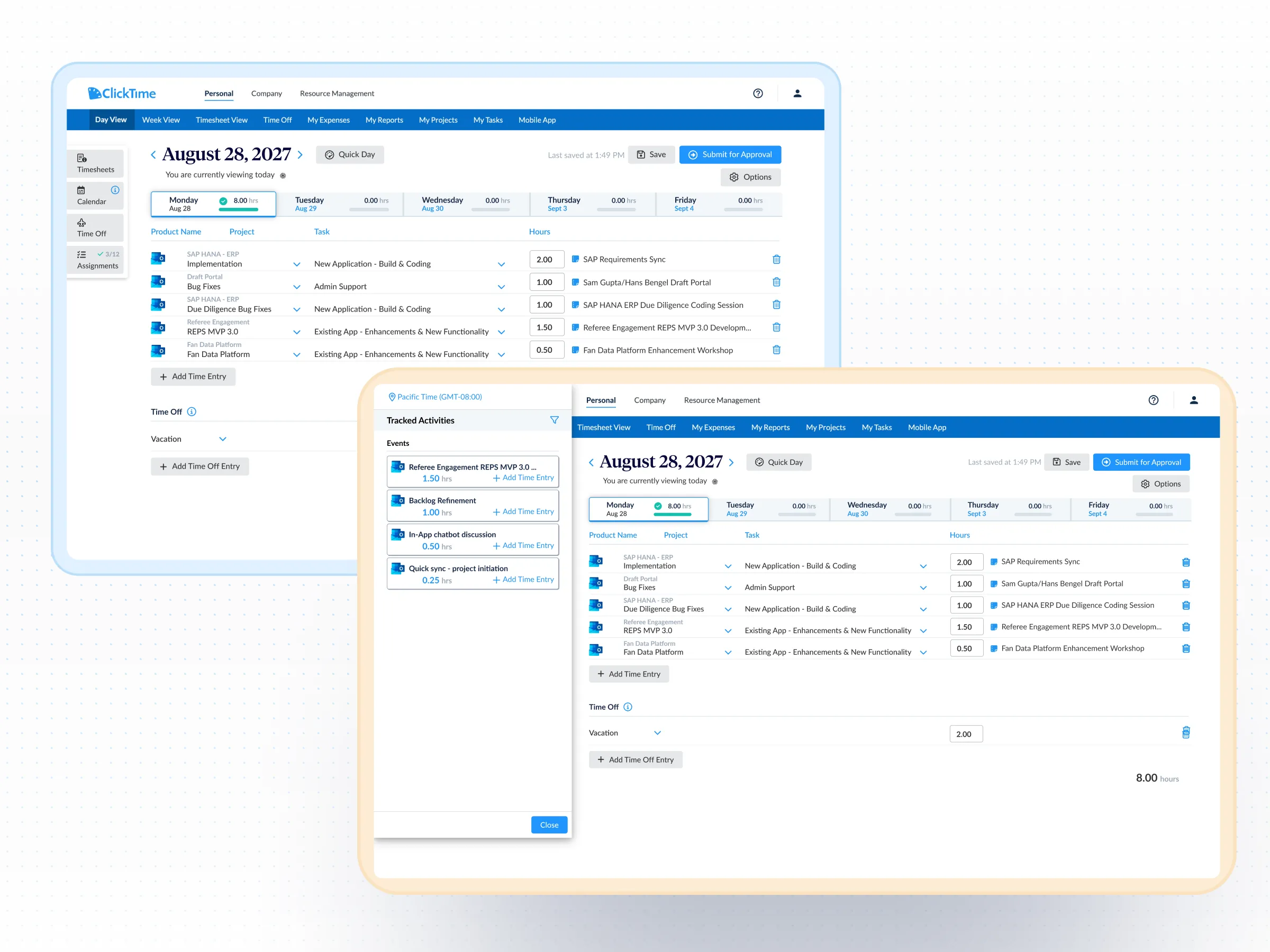
Outlook Calendar time tracking integration

Automatically turn Outlook Calendar events into time entries mapped to your projects, tasks, and cost centers. Capture hours where work already happens.

Get a demo
Contact specialist
Integration category
Text Link
Calendar
Calendar
Works with Smart Match
Yes
ClickTime pricing plan
Starter

Integration overview

ClickTime + Outlook pulls calendar activity directly into ClickTime, where employees can review and log time against your established projects, tasks, and cost centers.

This reduces administrative effort, improves data quality, and preserves the financial structure required for budgeting, billing, and compliance.

  • Capture time that often goes unreported or logged late
  • Keep time data structured without manual classification
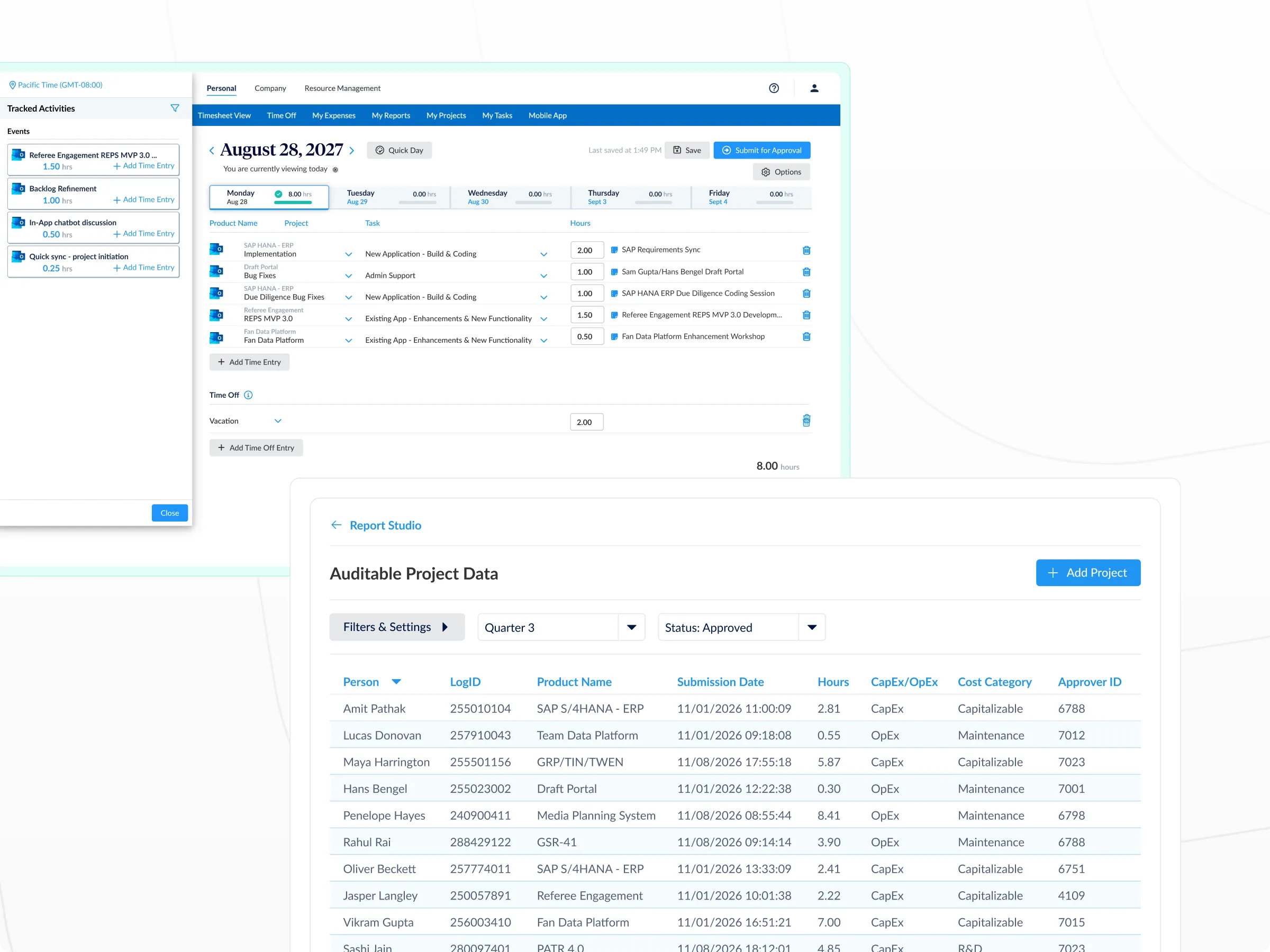
  • Support CapEx & R&D documentation with verifiable records
  • Improve forecasting, staffing decisions, and budget allocation

ClickTime requirements

  • Projects, tasks, and cost centers configured in ClickTime
  • User accounts enabled for time entry
  • Admin access to enable and manage integrations

Microsoft Outlook Calendar

  • Outlook Calendar enabled for users
  • Permission to authorize calendar access
  • Calendar events owned by or shared with the user
1

Protect your financial structure by design

Outlook calendar activity is converted into time entries that align with your existing project, task, and cost-center framework.

2

Increase consistency and audit confidence

Time entries are grounded in real calendar activity, helping teams report more accurately and giving Finance clearer, defensible records.

3

Quick to deploy, built to grow

Connect Outlook calendars in minutes with no custom configuration, and scale across teams without added IT overhead.

Recover hours lost to missed time entries

  • Outlook Calendar meetings, work sessions, and focus blocks become suggested time entries employees review and approve
  • Reduce follow-ups and late submissions that delay reporting cycles
  • Improve time tracking accuracy without increasing the burden on employees

Map calendar events to the right financial categories

  • Context and historical patterns guide how each event maps to the appropriate project, task, or cost center
  • Minimize reclassification and cleanup cycles that slow finance teams down
  • Apply consistent allocation logic so utilization, margin, and cost reports reflect reality

Maintain oversight as adoption grows

  • Employees validate suggested entries before submission—keeping humans in the loop at every step
  • Approval workflows and audit trails remain intact as more teams connect their calendars
  • Finance gets audit-ready records without building new review processes

Common questions

See all FAQs
Can you track time in Outlook with ClickTime?

Yes. ClickTime's Outlook Calendar integration pulls your calendar events—meetings, work sessions, and focus blocks—and converts them into suggested time entries. Employees review and approve the entries rather than creating them from scratch, which reduces missed hours and improves the accuracy of your labor cost data.

How does time tracking for Outlook Calendar events work?

ClickTime reads your Outlook Calendar events and uses context and historical patterns to map each event to the appropriate project, task, or cost center in your ClickTime account. Suggested time entries appear for the employee to review, adjust if needed, and approve. This keeps employees in control while reducing manual data entry.

What does ClickTime need to connect with Outlook Calendar?

You need Outlook Calendar enabled for your users, permission to authorize calendar access, and calendar events owned by or shared with the user. On the ClickTime side, you need projects, tasks, and cost centers configured, user accounts enabled for time entry, and admin access to manage integrations. Setup takes minutes with no custom configuration required.

Does Microsoft have a built-in time tracking tool?

Microsoft 365 does not include a dedicated time tracking tool designed for labor cost management. While Outlook Calendar records when events happen, it doesn't categorize that time by project, task, or cost center—and it doesn't produce finance-ready reports. ClickTime bridges that gap by turning Outlook Calendar data into structured time entries that finance and operations teams can use for billing, budgeting, and compliance.

How does the Outlook integration improve time entry accuracy?

When employees log time from memory—often days after the work happened—entries are unreliable. ClickTime's Outlook integration grounds time entries in actual calendar activity, so the data reflects what really happened. Employees spend less effort on time entry, and finance gets records they can trust for reporting, audits, and cost allocation.

Your calendar already tracks your time—now finance can use it

Learn how teams capture audit-ready labor data without changing how they work.

Book a demo
Ask a question