
.avif)
.avif)





How do you turn raw hours into finance-ready data?
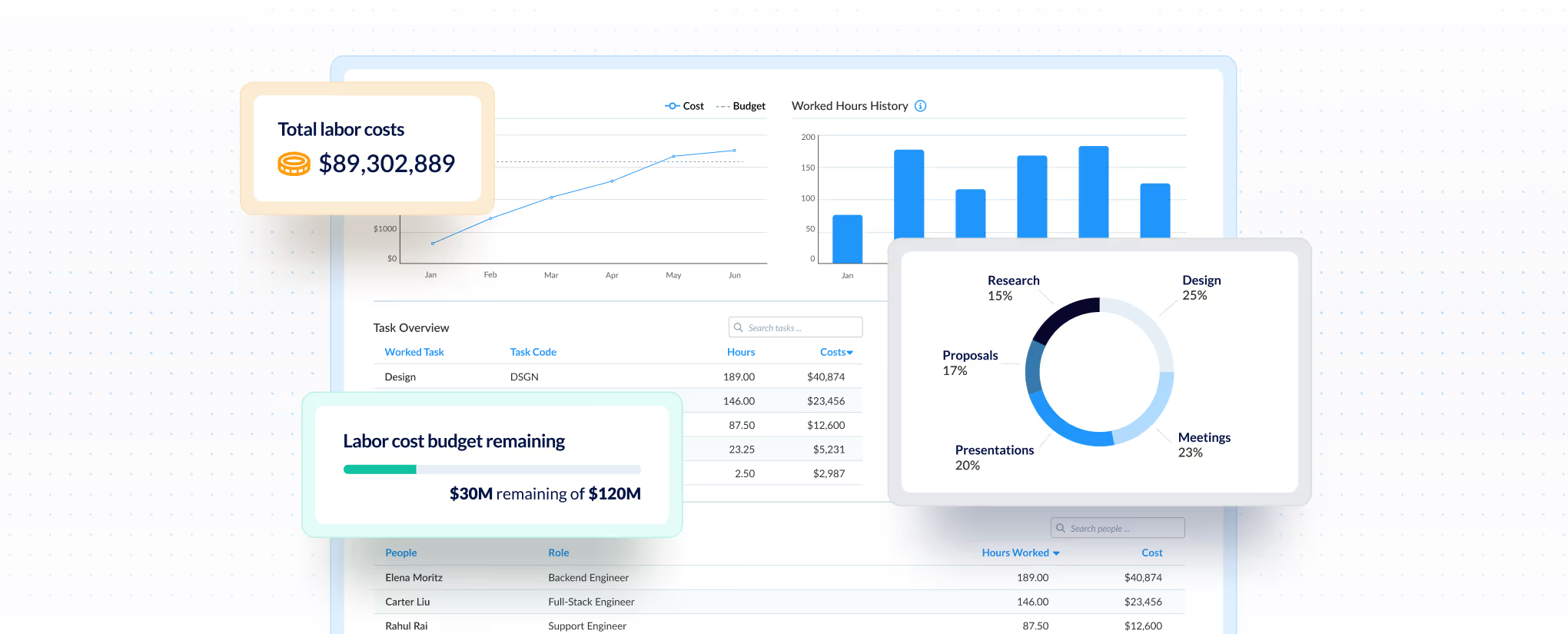
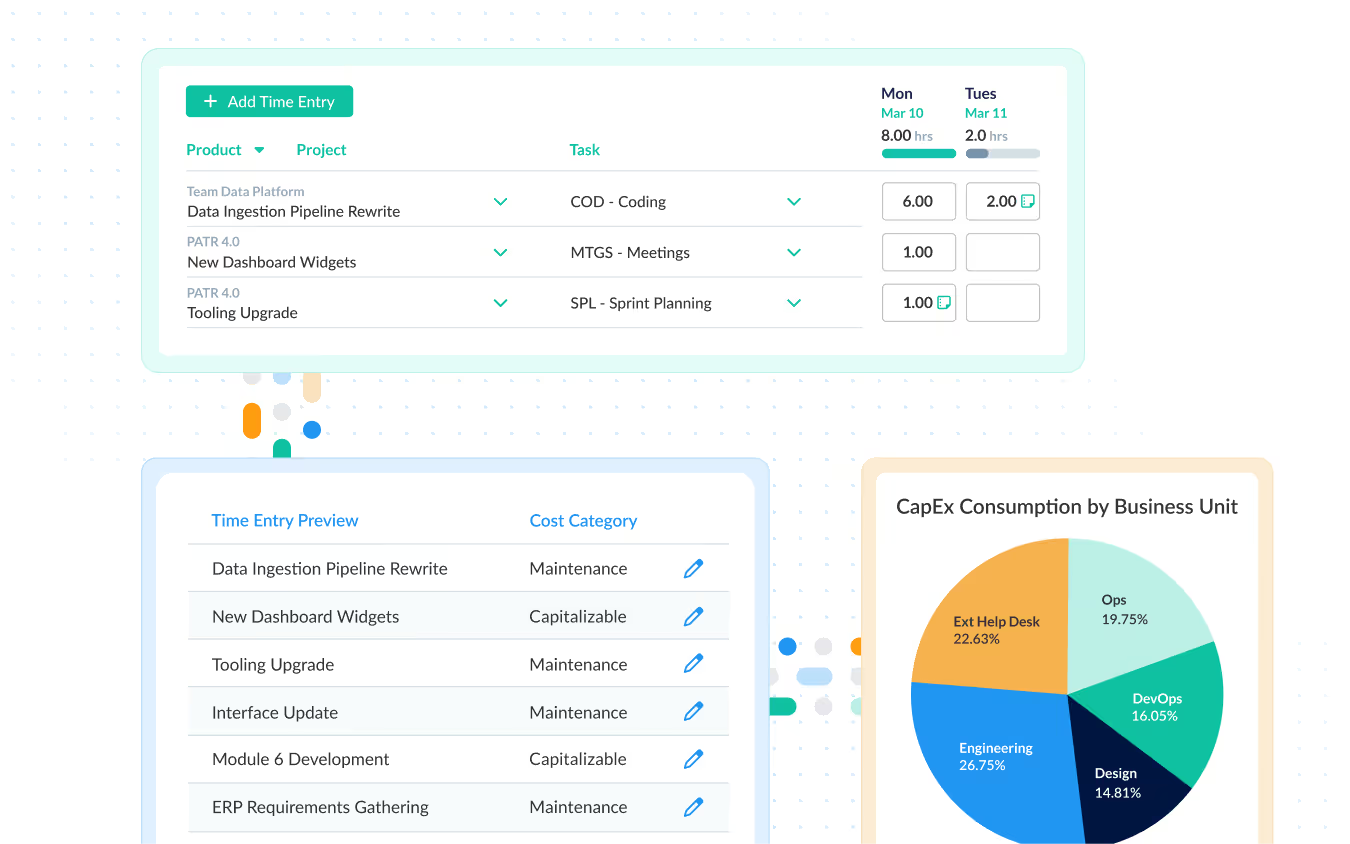
Most time tracking tools just log hours. ClickTime categorizes time at entry—billable, CapEx, R&D—so finance gets usable data without burdening your teams.

100% verified through approval workflows

Finance-ready from first entry. No cleanup needed

No need for manual re-categorization

Integrates automatically or exports on demand
How do you make sure time tracking is actually useful?
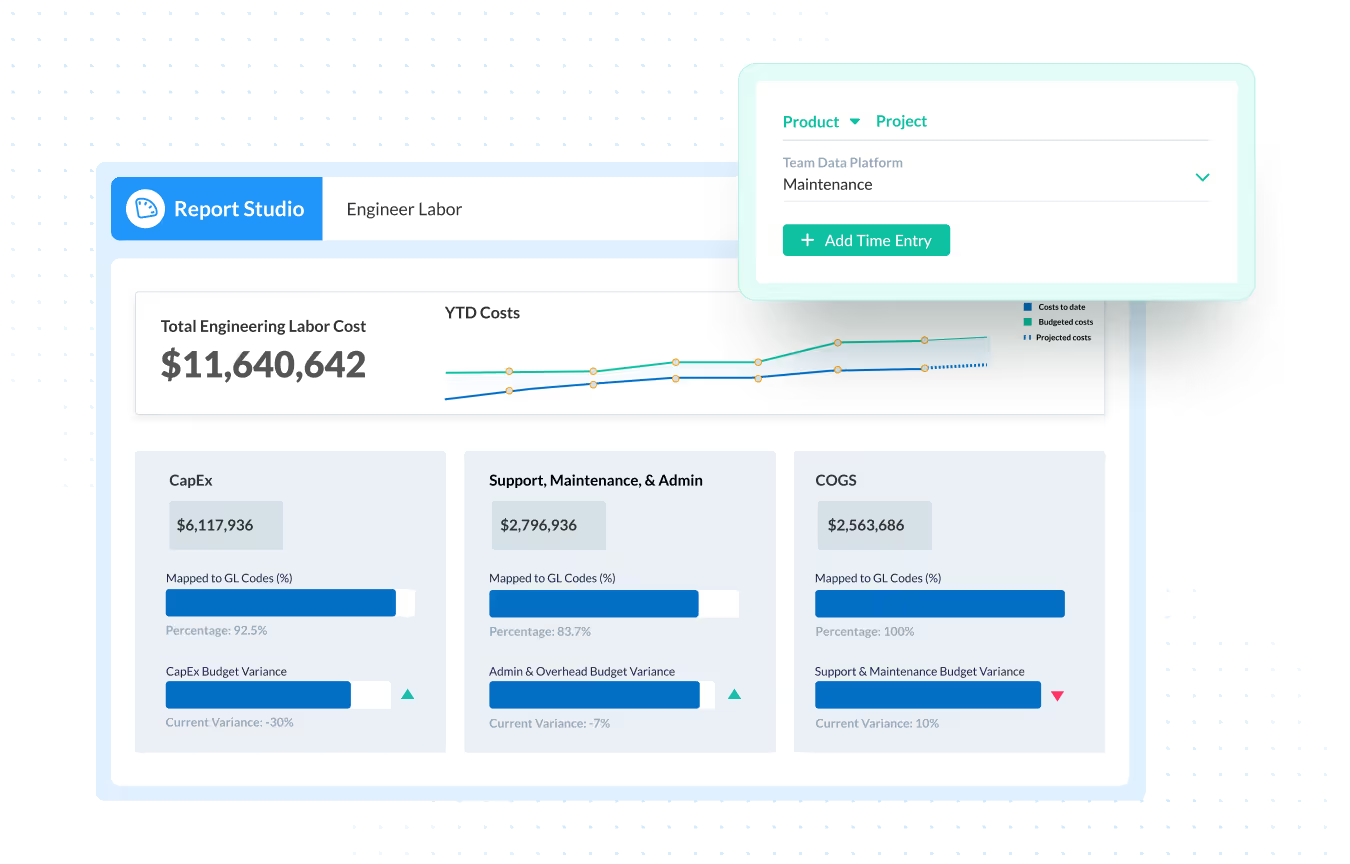
Configure custom categories like projects, clients, or cost centers. Time maps directly to them, so data is reporting-ready immediately. No spreadsheets or cleanup.

Salt Branding (now Material+)
How do you prove your data holds up to scrutiny?
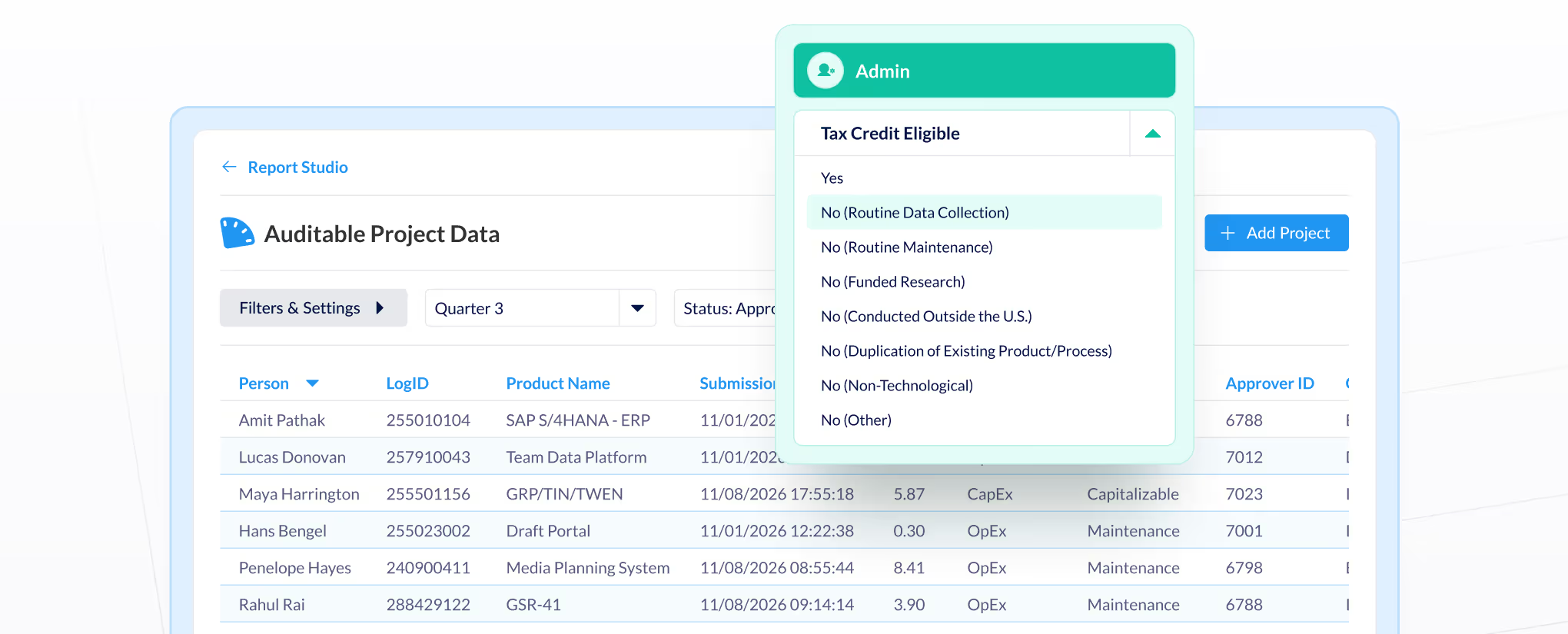
Approval workflows, complete change history, and instant reporting. Whether it's R&D tax credits, client billing disputes, or grant compliance, you have defensible records on-demand.

Nidec Motor Corporation


ClickTime timesheets, Jira, and Google and Outlook events

ClickTime expense tracking

ClickTime leave management, Bamboo HR, Rippling


Cost allocation, capitalization, and audit-ready records
Budgeting, forecasting, and performance insights

Headcount planning, pay, and compliance alignment






.png)

.png)


Common questions
The ClickTime team is here to answer your questions.
ClickTime is a labor cost management platform for finance leaders, controllers, and ops teams. ClickTime structures every hour at the point of entry by project, client, cost center, or funding source, then delivers high-fidelity, GL-mapped labor cost data into the systems finance already trusts. More than 40 million hours run through ClickTime each year.
Most time tracking software captures unstructured hours that finance has to clean up. Spreadsheet and BI workarounds add structure, but by hand and without an audit trail. ClickTime categorizes time at entry as billable, CapEx, OpEx, grant, or R&D, routes it through approvals, and keeps a full change history. Labor cost data is audit-ready from day one.
No. ClickTime AI reads calendar events and connected work—not keystrokes, screens, or device activity.
Yes. Configurable cost codes separate capitalizable from non-capitalizable work by project phase as time is entered, not reconciled after the fact. That gives finance defensible support for software capitalization under ASC 350-40.
Every entry carries its classification, approval, and full change history from the moment it's logged. Controllers use that trail for R&D tax credit claims, federal grant reporting, and DCAA requirements, without rebuilding documentation before an auditor asks.
ClickTime can pull in data from popular work tools like Google Workspace, Microsoft 365, and project management tools, and delivers GL-mapped labor data into the accounting systems finance runs, including Sage Intacct, QuickBooks, and NetSuite. It also connects with ADP, BambooHR, Salesforce, ServiceNow, Slack, and more. Where there's no native integration, a configurable export gets data into your ERP or BI tool.
Yes. Custom fields let you tag time entries by activity type, project phase, or any classification your tax advisor requires. Approval workflows and audit trails provide the defensible documentation auditors need.
All customer data is safely stored at the ClickTime Datacenter, which has backup power, RAID storage, and frequent backups. (It’s probably a lot safer than the data you keep in your own office). For more information, please read our Privacy Policy.
Plans start at $12 per user per month, with discounts for annual billing and nonprofits. Team and Premier plans add approval workflows and project budgeting. Enterprise pricing is custom.