What are billable hours?
Billable hours are the work hours you can charge to a client. Whether you're a consultant, attorney, accountant, or freelancer, knowing your billable hours—and knowing how to calculate them accurately—determines how much revenue you can recover from every engagement.
The challenge: many professionals don't actually know their billable hours. They estimate, round down, or lose track of time spent on client work. The result is revenue leakage that compounds over weeks and months.
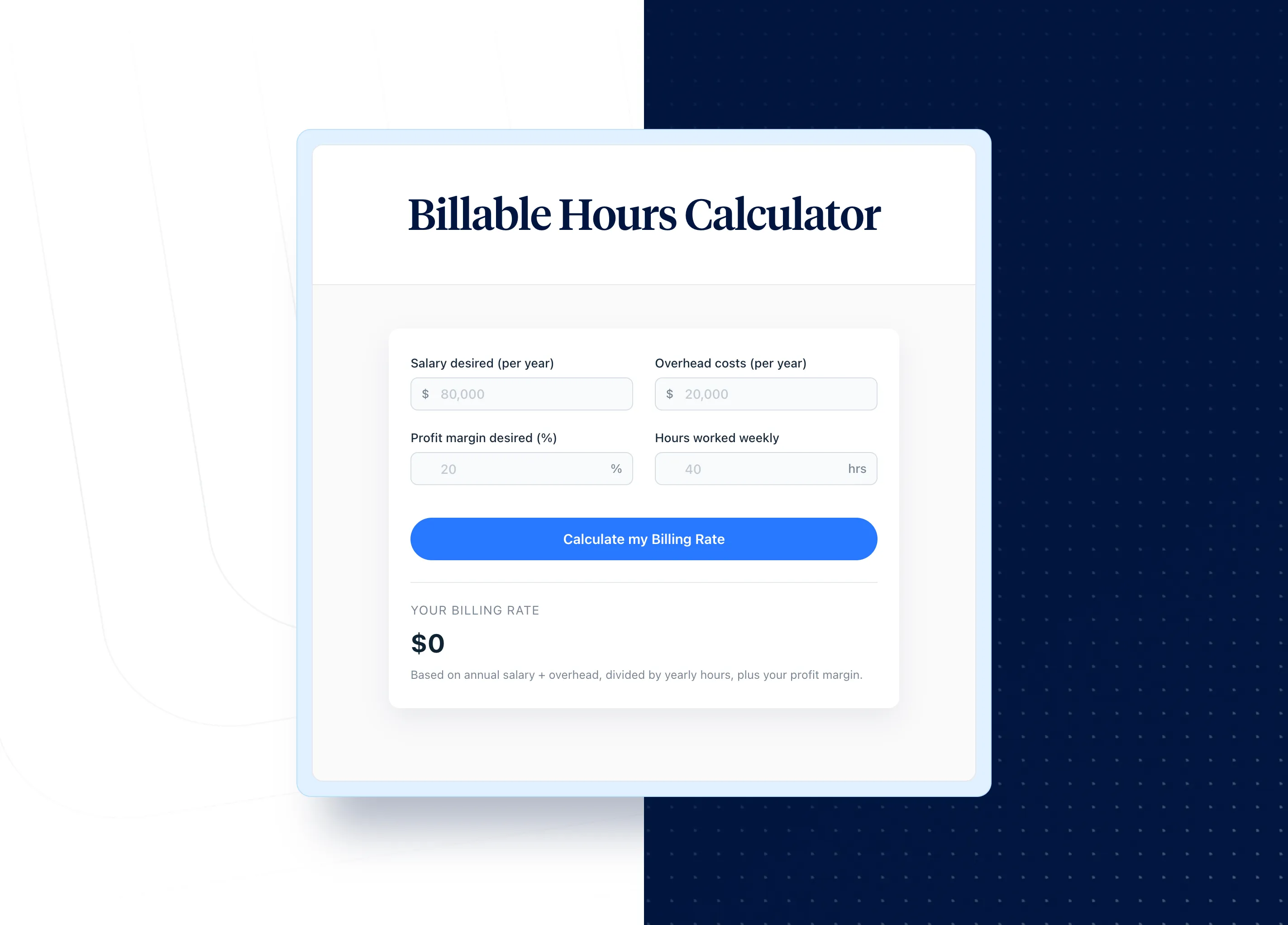
A billable hours calculator helps you track time accurately, calculate your total billable value, and ensure you're charging clients what your work is actually worth. Use the billable hours calculator above to quickly determine your earnings from any project or billing period.
How to calculate billable hours
The basic calculation is straightforward: multiply your hours worked on client tasks by your hourly rate. But the details matter for accurate invoicing and profitability.
Step-by-step calculation
Example: If you worked 24 hours on client projects at $150 per hour, your total billable value is $3,600.
Billing in tenths of an hour: increment chart
Law firms, legal practice management systems, and professional services firms typically bill in 6-minute increments (tenths of an hour). Here's a quick conversion chart for precision billing:
Legal professionals and attorneys often use the calculator to convert total time worked into properly formatted invoice amounts. This increment chart ensures every minute of billable work time is captured with precision.
How to calculate your billable rate
Your hourly billing rate determines profitability. Set it too low and you'll struggle to cover overhead costs and operating costs. Set it too high and you'll lose clients. The right rate accounts for your expenses, non-billable time, and profit margin goals.
A billing rate calculator helps you determine the optimal hourly rate you should charge based on your costs and revenue targets. The rate calculator helps service businesses price their services provided accurately.
The billable rate formula
To calculate your hourly billing rate:
(Labor costs + Overhead costs + Desired profit) ÷ Number of billable hours = Hourly billing rate
Many firms apply a multiplier or markup to base labor costs—typically 2x to 3x the employee's salary divided by work hours—to arrive at the final price for client billing.
What to include in the calculation
Use the calculator to find your optimal rate based on these inputs. When you want to calculate your ideal billable hourly rate, factor in all expenses to maximize profitability.
Calculating your available billable hours
Not every work hour is billable. A realistic calculation accounts for non-billable hours and administrative time:
Most professionals have 1,200-1,600 billable hours in a year available for client work. If you're targeting 1,500 billable hours a year, that's roughly 29 hours per week of revenue-generating work. Understanding your number of billable hours is essential for profitable pricing.
Billable vs. non-billable hours
Understanding the difference between billable and non-billable hours is critical for accurate invoicing and pricing strategy.
Billable hours include:
Non-billable hours include:
The key insight: your billable rate must cover both billable and non-billable time. If non-billable work consumes 30% of your hours, your billable rate needs to be high enough to compensate. Track their hours carefully to understand how time was spent across billable work and administrative tasks.
Why tracking billable hours matters for profitability
Beyond knowing what to put on the invoice as a service provider, calculating billable hours accurately has direct financial impact on your profit goals:
According to industry research, professional services firms that track billable hours with dedicated time tracking tools recover significantly more revenue than those relying on manual methods or memory. These productivity gains directly impact profitability.
How many billable hours should you target?
Billable hour targets vary by industry and role. Consult your firm's benchmarks or use industry standards:
The question isn't just how many hours you can bill, but whether your hourly rate and billable hours combine to meet your revenue and profit goals. Use the free billable hours calculator above to easily calculate your projected earnings.
Best practices for managing billable hours and efficiency
Maximizing billable hours—without burning out—requires systems and discipline. These practices help streamline your billing process and optimize utilization:
Track time in real time
Don't wait until the end of the day or week to log hours. Real-time time tracking captures every minute of client work. Even a 5-minute task compounds over time: 5 minutes per day = 20+ hours spent per year. Manually reconstructing timesheets is time-consuming and leads to lost billable time.
Use time tracking and management software
Spreadsheets work for basic tracking, but dedicated time tracking and billing software automates calculations, generates invoices, and integrates with your accounting and payroll systems. Look for management software that captures time entries automatically and converts them to client invoices with minimal manual effort. The right timesheet software improves accountability and reduces administrative workload.
Set clear billing policies
Define what's billable before projects start. Document your increment policy (6-minute, 15-minute, or other), travel time billing, and how you handle revisions. Clear policies reduce client disputes and invoice delays. Include discount terms and markup guidelines in your pricing documentation.
Review utilization regularly
Track your billable efficiency: billable hours ÷ total hours worked. If utilization drops below 60-70%, investigate where non-billable time is going. Even small improvements in utilization have significant revenue impact and help you stay profitable. Teams should export regular reports to monitor how much time is spent on billable versus administrative work.
Tools that help track and calculate billable hours
The right time tracking tools make billable hours calculation accurate and efficient:
ClickTime's billable hours tracking helps professional services firms capture every hour, calculate utilization, and generate finance-ready reports that support accurate client billing.
Tracking billable hours with ClickTime
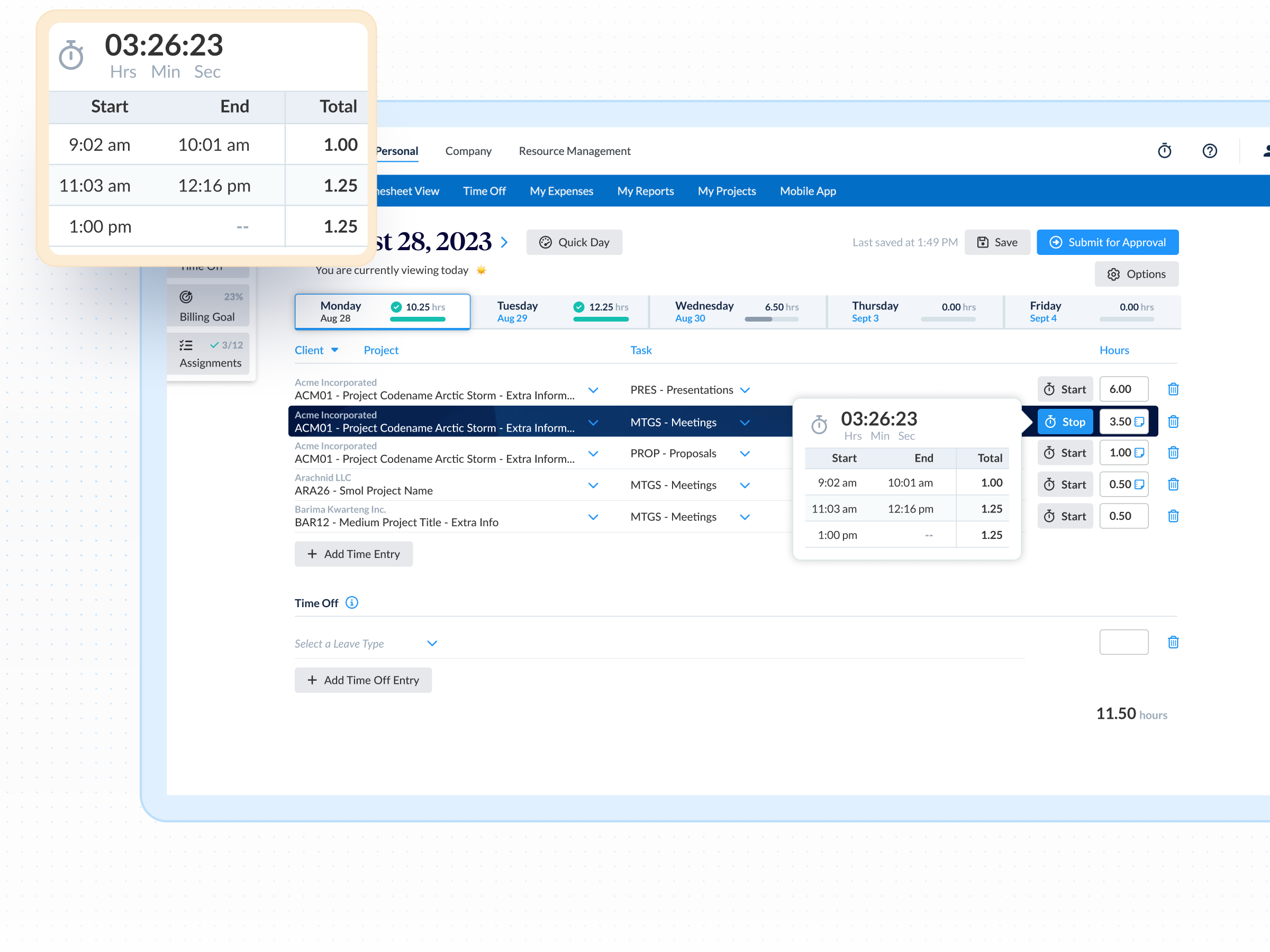
ClickTime's online timesheets make it easy to track employee hours, manage project budgets, and improve billability. We offer hundreds of time tracking features, including an intuitive time tracker, dozens of reports, and integrations with your existing payroll and accounting software. Use the calculator to find your team's optimal rates, then let ClickTime track the billable time that drives your revenue.
"I can't overstate how important ClickTime is to our business. It has made us more productive, and better able to focus on meaningful work for our clients. ClickTime saves our team's time—hundreds of non-billable hours a week—and nearly $200,000 a year."
—Annemarie Anaya, Accountant, Eastwick Communications